
Intro
The OXVA XLIM 3 ULTRA can tell you how many puffs you took last week. How often do you actually need to touch the screen to get the draw you want?
You can set the power, tighten the airflow and leave the kit in draw-activated mode. The screen is there when you want it, and the 0.8Ω pod in the box makes a good starting point if you like a close, cigarette-like draw.
Build Quality & Design
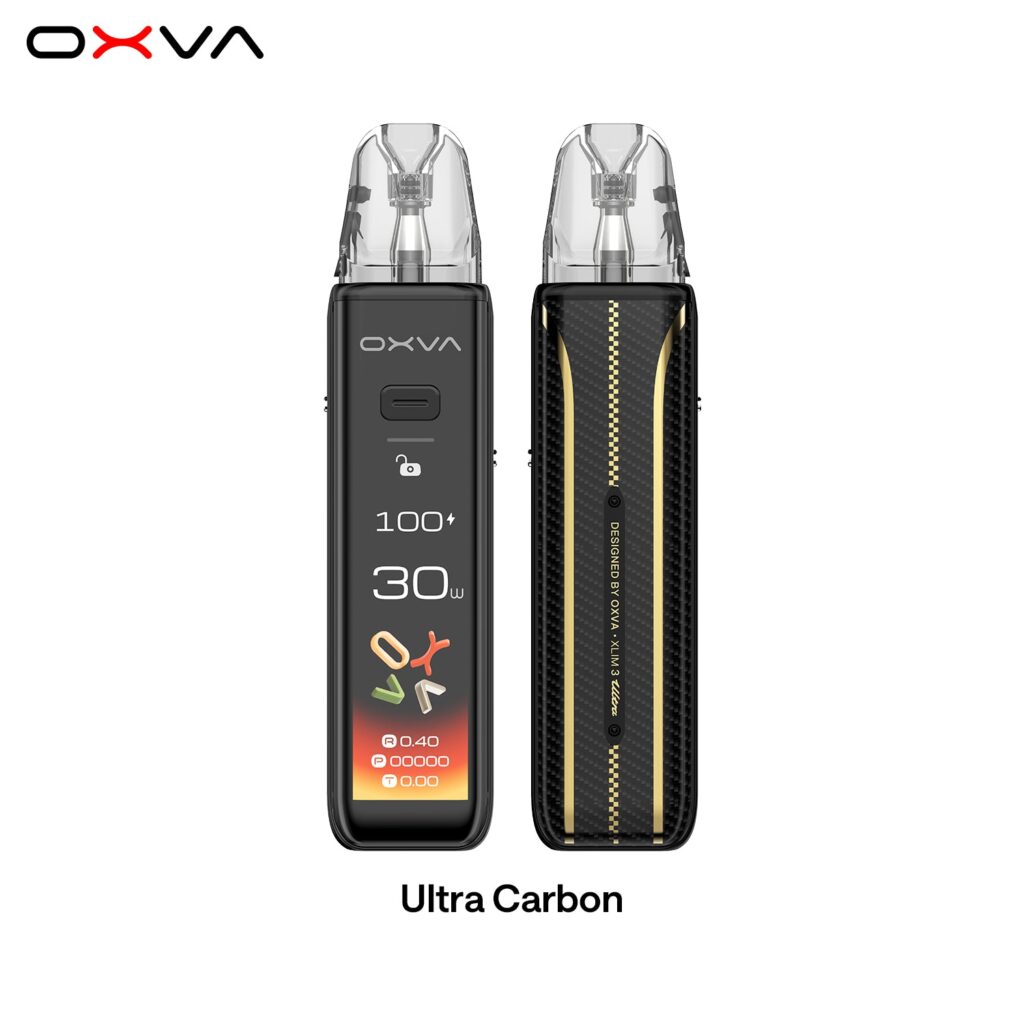
The 2.2-inch screen takes up most of the front, so the battery percentage and wattage are easy to read at a glance. At about 90g and nearly 29mm wide, the Ultra is a chunky XLIM, especially if you’re used to a slim kit in your jeans pocket.
Wake the screen with the button, then swipe up to unlock it. The wattage adjustment and puff history each have their own swipe, which is considerably easier to rememeber than a different number of button clicks for every setting.
The airflow slider is on one side and the switch that disables the fire button is on the other. You can leave the button locked and still draw to vape, or switch the kit off altogether before putting it in a bag.
The UK kit comes with 0.6Ω and 0.8Ω XLIM top-fill pods. Lift the rubber flap high on the side to refill, then press it back into place before you put the kit away.
Performance
I’d start with the 0.8Ω pod and nudge the airflow towards closed. There’s enough resistance there for a cigarette-like draw, and you can bring the power up within the pod’s range if you prefer a little more warmth.
The 0.6Ω pod gives you more room to open the airflow for a looser draw with more vapour. The kit picks a starting wattage when you fit a pod, so the adjustment is there if you want it.
OXVA calls its low-battery power system Super Pulse. It’s meant to keep the draw consistent as the charge drops, and that’s a more useful idea to me than having four animations to choose from.
Flavour is a strength of both pods, though reports on how long they last vary. Some owners have also reported leakage, including after filling the 0.8Ω pod quite high, so I’d leave a little room at the top and check that the flap is fully seated.
Battery Life & Charging
The 1,500mAh battery has the same rated capacity as the XLIM PRO 3. In one side-by-side test of the standard kits, the Ultra got through less liquid per charge, so I wouldn’t assume the bigger body gets you a longer run.
OXVA claims up to four days per charge, which will depend heavily on how often you vape. Its half-hour USB-C figure is for reaching 80%.
Full charges took close to an hour in a test that covered both kits. I’d keep the cable handy if you’re using the 0.6Ω pod at higher power throughout the day.
Pros
- Clear, responsive screen with quick access to wattage and puff history
- Physical airflow slider and a separate switch to lock the fire button
- The included 0.8Ω pod suits a close draw
- Works with existing XLIM top-fill and EZ pods
Cons
- Wide and weighty for a pocket pod kit
- Battery runtime can fall short of what the size suggests
- Some owners report leakage from the pods
Verdict
The Ultra makes most sense if you’ll actually use the puff history or like having wattage adjustment a swipe away. I’d run the 0.8Ω pod with the airflow fairly tight and leave the fire button locked for draw activation.
If you usually set your kit once and leave it alone, the XLIM PRO 3 gives you the same pod options and rated battery capacity with familiar button controls. The draw is the part I’d keep coming back for on the Ultra, and the screen is what would make me choose this particular XLIM.